
How Airports and Border Checkpoints Use Health Screening Kiosks
Analysis of airport border health screening kiosk technology, from identity and document capture to thermal and contactless vitals workflows, edge processing, and public health operations.
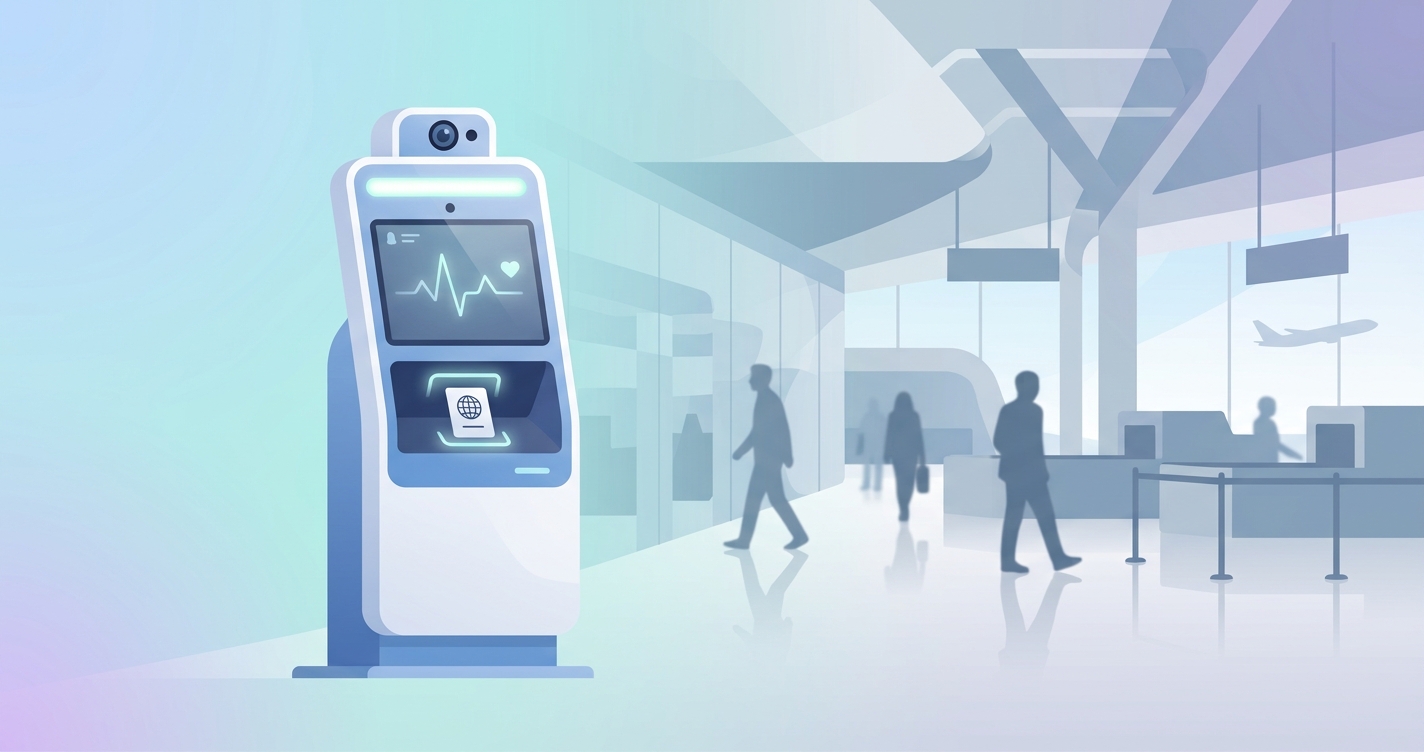
Airport border health screening kiosk technology sits at the uncomfortable intersection of public health, passenger throughput, and hardware reliability. Airports and land-border operators need systems that can verify identity, collect declarations, screen for obvious health risks, and keep moving. That last part matters more than it sounds. A checkpoint can be technically impressive and still fail in practice if it creates queues, needs constant staff intervention, or depends on a network connection that drops at the worst possible moment.
"The low positive predictive value suggests limited efficacy of non-contact infrared thermometers in detecting symptomatic passengers at the early stages of a pandemic influenza." — D. Bitar, A. Goubar, and J.C. Desenclos, Eurosurveillance, 2009
Airport border health screening kiosk technology in practice
Most airport and border health kiosks are not single-purpose fever scanners. They are workflow devices. A typical deployment combines document capture, identity verification, traveler declarations, and one or more health-related checks in a single station. That architecture has become more common because border operators learned a hard lesson during COVID-era deployments: bolting separate tools together slows the lane down and creates more failure points.
The public-health side of the checkpoint is also broader than temperature screening. In March 2024, the World Health Organization and the International Civil Aviation Organization said points of entry need stronger joint risk assessment, technical assistance, and better tools for implementing the International Health Regulations. In other words, airports are being treated less like passive transit spaces and more like operational nodes in disease surveillance.
For hardware teams, that changes the design brief. A kiosk at a checkpoint has to do four things well:
- identify the traveler quickly
- collect structured health or exposure information
- support low-contact physiological screening when required
- route results to border, airline, or public-health workflows without stalling the line
That is why edge-native kiosk design matters so much in this category. A border checkpoint is not the place to discover that your camera pipeline, thermal subsystem, and cloud dependency do not agree with each other.
| Kiosk function | What the checkpoint needs | Hardware implication |
|---|---|---|
| Identity and document capture | Fast scan of passport, visa, or travel credential | Integrated camera, scanner, and durable illumination |
| Health declaration intake | Structured traveler responses in multiple languages | Large touchscreen, offline form logic, local storage |
| Symptom or vitals screening | Fast non-contact screening without consumables | RGB camera, thermal sensor when used, stable compute |
| Risk routing | Clear handoff to secondary screening when flagged | Local rules engine and API integration |
| Throughput management | Consistent processing under heavy passenger volumes | Edge processing, thermal control, remote diagnostics |
Why checkpoints moved toward kiosk-based screening
Airports and border agencies adopted self-service kiosks for the same reason hospitals and pharmacies did: labor is expensive, queues are politically visible, and passengers hate uncertainty. But health screening adds another constraint. The screening step has to be consistent enough for public-health operations while still feeling like a normal checkpoint interaction.
The 2020 systematic review by Christos Mouchtouri and colleagues in BMC Infectious Diseases looked at 48 studies published between 2003 and 2019 on exit and entry screening at points of entry. Their review makes the operational picture pretty clear. Screening programs rarely succeed as stand-alone disease barriers. They work better as part of a broader system that includes declarations, follow-up procedures, referral protocols, and data sharing between agencies.
That is one reason kiosk deployments keep expanding beyond a single thermal camera on a tripod. Border agencies want structured intake. They want audit trails. They want a lane supervisor to know why a traveler was flagged instead of staring at a red box on a screen and guessing.
The limits of fever-only screening
Bitar, Goubar, and Desenclos reviewed non-contact infrared thermometer studies back in 2009 and found sensitivity ranging from 4.0% to 89.6% and specificity from 75.4% to 99.6%. That is a huge spread, and honestly, it tells you all you need to know about why fever screening alone became such a shaky foundation for border policy.
Graham Gostic and co-authors pushed the argument further in eLife in 2020. Their modeling on traveler screening for emerging pathogens estimated that, in a baseline scenario for 2019-nCoV, about 46% of infected travelers would go undetected. Even in optimistic cases, arrival screening missed many cases because incubation periods, asymptomatic infection, and imperfect fever detection all work against the checkpoint.
So the modern kiosk is not really trying to perform a clinical diagnosis in 20 seconds. It is doing triage and workflow sorting. That sounds less glamorous, but it is far closer to how border systems actually operate.
| Screening approach | What it catches well | What it misses | Best use at a checkpoint |
|---|---|---|---|
| Thermal-only screening | Elevated surface temperature | Asymptomatic or pre-symptomatic travelers, antipyretic use | Quick first-pass escalation |
| Questionnaire-only screening | Exposure history and declarations | Under-reporting, misunderstanding, language issues | Structured intake and audit trail |
| Identity-linked kiosk workflow | Repeatable records and routing decisions | Physiological signals without added sensors | Operational control and documentation |
| Contactless camera-based vitals | Heart rate and respiratory-pattern signals in stable conditions | Motion, poor lighting, noisy environments | Secondary screening or controlled checkpoint lanes |
| Staff-led clinical screening | Judgment and escalation | Slow throughput, staffing cost | Secondary assessment only |
Where contactless vitals fit at airports and borders
This is the interesting part. Contactless vital sign capture is attractive in checkpoint settings because it removes consumables and reduces physical contact, but it only makes sense when the environment is controlled enough to support signal quality.
The 2022 review Contactless Vital Signs Monitoring for Airport Passenger Screening argued that contactless screening technologies are appealing for airports precisely because they can support higher throughput and lower hygiene burden than contact-based tools. The catch is that airports are messy environments. Lighting varies. People drag bags, turn their heads, speak to family members, and ignore instructions. A kiosk deployed in an uncontrolled concourse behaves very differently from one placed in a dedicated inspection area.
That is why the smartest checkpoint designs separate lanes by purpose:
- high-volume lanes use kiosks for documents, declarations, and fast first-pass screening
- flagged travelers move to a calmer secondary lane
- secondary stations can afford longer capture windows and more guided measurement
From an embedded-systems perspective, that split matters. The hardware spec for a declaration-and-identity kiosk is not the same as the spec for a contactless physiological screening station.
Secondary screening is the better fit
I keep coming back to this point because it is easy to overpromise here. Contactless vitals are strongest when the system controls the interaction. Border operators usually have more control in secondary screening zones than in the main passenger stream.
A secondary screening kiosk can use:
- fixed face-to-camera distance
- controlled front lighting
- multilingual guidance prompts
- a longer capture window without creating a terminal-wide queue
- local processing so raw video does not have to leave the checkpoint
That makes technologies like RGB-camera-based rPPG far more plausible for operational use. Not as magic. Not as a universal answer. As a better-engineered screening step in the right place.
Architecture patterns for airport and border kiosks
Border checkpoints tend to converge on the same architectural stack.
1. Front-end capture layer
This is the visible part: touchscreen, passport reader, camera, illumination, and sometimes a thermal module. The physical enclosure has to survive constant use, aggressive cleaning, and long duty cycles. It also has to guide the traveler without needing an officer to explain every step.
2. Local decision layer
The kiosk should process identity checks, form logic, and first-pass screening locally. Even when upstream databases are involved, the station needs enough local intelligence to keep operating gracefully during latency spikes.
3. Integration layer
Results move to airline systems, border-control platforms, or public-health dashboards. The good systems send structured events, not screenshots and not half-readable logs.
4. Escalation layer
If the traveler is flagged, the handoff has to be explicit: who sees the alert, what caused it, and where the traveler goes next.
| Architecture layer | Design priority | Why it matters at the border |
|---|---|---|
| Capture hardware | Reliable cameras, sensors, and illumination | Poor capture quality ruins every downstream step |
| Edge compute | Local inference and rules processing | Keeps the lane working when networks slow down |
| Secure storage | Short-lived buffered records and audit logs | Supports compliance and incident review |
| Integration APIs | Clean exchange with border and health systems | Avoids manual re-entry and queue buildup |
| Remote fleet management | Diagnostics, updates, configuration control | Checkpoint hardware is expensive to service on-site |
Current research and evidence
The evidence base around border screening says two things at once.
First, border screening on its own is not especially powerful as a disease-control barrier. Mouchtouri et al. reviewed 48 studies and found wide variation in methods and effectiveness across points of entry. Bitar, Goubar, and Desenclos showed just how inconsistent infrared fever screening performance can be. Gostic and colleagues showed why even mathematically optimized traveler screening still misses a large share of infected people.
Second, airports and borders still need screening infrastructure. That is where the WHO-ICAO collaboration matters. Their 2024 statement focused on better implementation of the International Health Regulations, joint assessments, and stronger preparedness at points of entry. The practical takeaway is not "screening works perfectly." It is "screening must plug into a larger operational system."
That is exactly where kiosk architecture earns its keep. A well-designed kiosk can standardize intake, make escalation clearer, and create a cleaner bridge between checkpoint operations and public-health workflows.
For contactless monitoring specifically, the research direction is encouraging but deployment-sensitive. Reviews of camera-based and multimodal contactless vital sign monitoring consistently point to the same constraints: motion, lighting, subject variability, and sensor fusion. Those are manageable in purpose-built lanes and much harder in chaotic terminal spaces.
The future of airport border health screening kiosk technology
The next generation of checkpoint kiosks will probably look less like standalone public-health gadgets and more like multi-function border appliances. Identity verification, digital credentials, declarations, and health-related screening will continue to merge into one station because operators do not want four devices where one will do.
I also expect more separation between screening tiers. Mainline kiosks will focus on speed and structured intake. Secondary stations will handle the slower, more controlled measurement tasks. That is a better match for both epidemiology and engineering.
There is also a strong case for more on-device processing. Airports are crowded network environments, and border systems already carry enough integration baggage. If a kiosk can process camera-derived signals locally, store only the output required for workflow decisions, and discard raw imagery, the privacy and resilience story gets much cleaner.
FAQ
Are airport health screening kiosks mainly used for fever detection?
Not anymore. Many deployments still include temperature screening, but modern airport and border kiosks are more often multi-step workflow systems that combine identity capture, declarations, and routing decisions with whatever health checks are required for the current policy.
Do contactless vital-sign kiosks replace secondary screening staff?
Usually no. They are better viewed as standardization tools. A kiosk can collect structured inputs and support faster triage, but staff still handle exceptions, interviews, and escalation.
Why is edge processing important for border screening kiosks?
Because checkpoint hardware has to keep moving even when connectivity is imperfect. Edge processing reduces latency, avoids shipping raw image data across networks, and makes the kiosk more predictable during peak traffic.
Can airport kiosks detect infectious travelers reliably on their own?
No single kiosk modality does that reliably. Published reviews and modeling studies show that fever screening and traveler screening miss many infected people. The value of the kiosk is in structured intake, consistent first-pass screening, and better routing into a larger public-health process.
For device manufacturers building checkpoint or inspection hardware, the real opportunity is not a miracle scanner. It is a dependable embedded system that can combine camera capture, local processing, auditability, and controlled escalation in one enclosure. Solutions like Circadify's custom clinical kiosk builds are aimed at that integration problem.